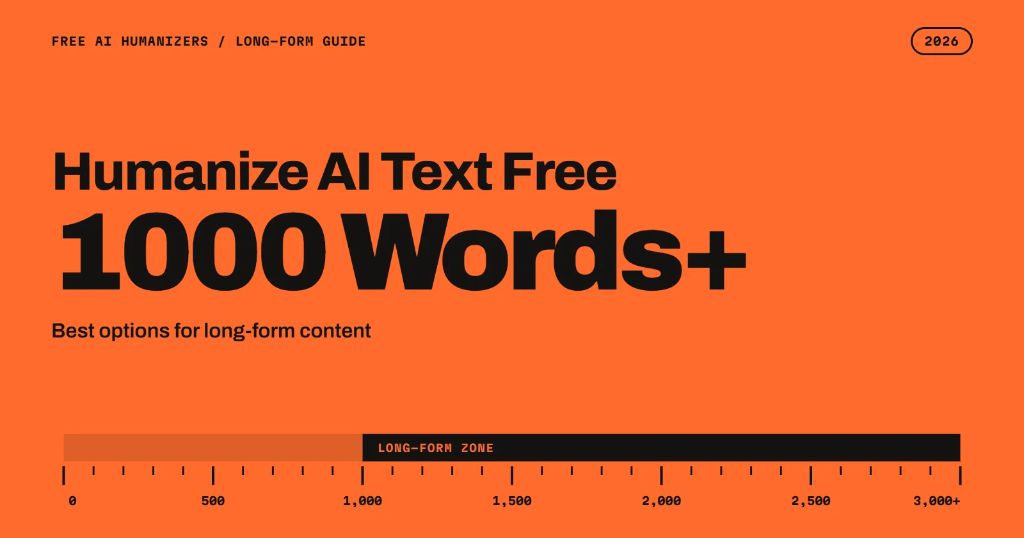
Most free AI humanizers were built for a paragraph. You paste in a few sentences, get a rewrite, and the tool is happy. Then you try it on a 1,500-word blog post, and the box cuts you off at 125 words, or you burn through your monthly allowance before you conclude.
That gap matters because long-form is what most people actually write. Orbit Media’s 2026 blogger survey puts the average blog post at 1,312 words, and over 90% of the bloggers it surveyed now use AI somewhere in the process. So if you want to humanize AI text for free at 1000 words or more, you need a tool whose limits fit the length of the work. This guide covers which free options can handle long content, how many runs each one needs, and how to keep a long piece consistent when you process it in parts.
First, Do the Math
Free plans usually advertise one number, but long-form work depends on two: how many words you can paste per run, and how many runs you get per day or month. A tool with a big input box and a tiny monthly cap is just as stuck as one with a small box.
Here is roughly how many runs it takes to process an average 1,312-word post and a 3,000-word guide on the free plans below. Limits are taken from each tool’s site or recent reviews and change often, so treat this as a snapshot.
| Tool | Free limit per run | Other caps | Runs for 1,312 words | Runs for 3,000 words |
|---|---|---|---|---|
| Clever AI Humanizer | Up to 3,000 words | Daily capacity can run out | 1 | 1 |
| NoteGPT AI Humanizer | About 10,000 characters (roughly 1,500 words) | None stated | 1 | 2 |
| SuperHumanizer | 1,200 words | Larger use needs an upgrade | 2 | 3 |
| StealthWriter | 1,000 words | 10 humanizations a day | 2 | 3 |
| UnAIMyText | 500 words | No daily or total cap | 3 | 6 |
| QuillBot AI Humanizer | 125 words | 6 uses a day | 11 (over the daily limit) | 24 (over the daily limit) |
| WriteHuman | 250 words | 3 requests a month | 6 (over the monthly limit) | 12 (over the monthly limit) |
Two things stand out. Only a handful of free tools can take 1,000 words in a single pass. And a small per-run limit is only a problem when it comes with a daily or monthly ceiling. Six runs is a minor inconvenience. Six runs when you only get three a month is a dead end.
The Best Free Options for 1000+ Words
For no caps at all: UnAIMyText
UnAIMyText takes a different approach. The free Standard mode is limited to 500 words per input, but there’s no account requirement and no daily or lifetime word cap. A 1,500-word article takes three runs, and a 10,000-word report takes twenty, but you won’t hit a wall partway through. It suits people who process long content often and prefer working section by section. If you want bigger inputs, the paid plan raises the limit to 2,000 words and adds a stronger Ultra mode.
For one long pass: Clever AI Humanizer
Clever AI Humanizer currently has the largest single-run limit of the free tools here, at up to 3,000 words per request. According to a recent Clever AI Humanizer review, it also dropped its fixed monthly cap in June 2026, so older figures like 120,000 or 200,000 words a month no longer apply. The trade-off is that daily processing capacity can run out, and reviewers note that it can blur exact numbers, names, and dates. If you paste a full article, plan to check every figure in the output against your draft.
For roughly 1,500 words without an account: NoteGPT
NoteGPT’s humanizer is free with no signup and accepts about 10,000 characters per run, which works out to around 1,500 words of typical English. That covers an average blog post in one go. The tool’s own page lists two different character limits, so test it with your real document before you rely on it. Reviewers place its detector results in the middle of the pack, which makes it a better fit for readability than for anything where a detector score matters.
For 1,200 words at once: SuperHumanizer
SuperHumanizer lets you process up to 1,200 words without registering, which is one of the more generous no-account allowances around. Its side-by-side editor makes it easy to compare input and output. The weak spot is consistency. Independent tests of its deeper mode have produced very different results on different texts, as our SuperHumanizer review covers. Run a sample of your own writing first.
For control over the rewrite: StealthWriter
StealthWriter’s free plan now allows 1,000 words per input and 10 humanizations a day, which means you can humanize AI text for free at 1000 words per run and still have room for a couple of long documents each day. The free plan uses its lighter model, and the stronger ones are paid. In our StealthWriter review, the most common complaint from users was meaning shifts and grammar slips, so leave time for a careful edit.
Tools that don’t suit long-form on a free plan
Some popular humanizers are fine for a paragraph but don’t work for long content without paying. A comparison of free plan limits from Dupple lists WriteHuman at three 250-word requests a month, BypassGPT at 80 words per input with a 150-word monthly cap, and Undetectable AI and GPTHuman as one-time trials of 250 to 300 words. QuillBot’s free humanizer, at 125 words and six uses a day, will get through about 750 words daily. These are worth a look for short copy, but not for a 2,000-word guide.
Which Option Fits Your Content?
A 1,000 to 1,500-word blog post. Clever AI Humanizer or NoteGPT will handle it in one run. StealthWriter and SuperHumanizer need two. Any of these works for an occasional post.
A 3,000-word guide or whitepaper. Clever AI Humanizer is the only free option here that might do it in one pass. Otherwise, StealthWriter’s daily allowance or a no-cap tool like UnAIMyText lets you finish in a single sitting.
Several long pieces a week. Daily and monthly caps start to bite at this volume. A tool with no total cap is the safer choice, even with a smaller per-run limit, because you won’t be forced to switch tools halfway through a project.
Academic or technical writing. Pick the tool you can check most easily. Smaller sections are easier to compare against your original for changed terms and figures, so a big input box isn’t always an advantage.
How to Humanize Long Content Without Losing Consistency
Long documents bring a problem short ones don’t: the rewrite can drift in tone from one section to the next, especially when you process it in parts. A few habits keep a long piece reading as one voice.
- Edit before you humanize. Fix the structure, facts, and argument first. A humanizer polishes how something reads. It can’t fix a weak outline, and every edit you make afterwards risks undoing its work.
- Split at headings. Break the draft at natural section breaks rather than at an exact word count. Sections that start and end cleanly come back reading cleanly.
- Use one tool and one setting for the whole piece. Each humanizer has its own rhythm. Mixing tools, or switching modes partway through, leaves a document that sounds like two different writers.
- Protect the details. Make a short list of the numbers, names, product terms, and quotes in your draft. After humanizing, check each one. This takes a few minutes and catches most problems.
- Run each section once. Results can vary from run to run, and repeated passes usually drift further from your meaning. One pass followed by your own edit works better than several passes.
- Read the joins. When you put the sections back together, read the transitions between them. That’s where long humanized documents most often sound off.
Is a Longer Draft Worth the Effort?
It’s fair to ask whether long content justifies the extra work. The data suggests it often does. Backlinko’s large-scale content study found that posts over 3,000 words earned 77.2% more referring domain links than posts under 1,000 words. Length alone doesn’t earn those links, of course. Long posts tend to earn them because they cover a topic thoroughly and include detail people want to cite.
That’s also why humanizing is only part of the job on long content. A humanizer can smooth out stiff phrasing and repetitive sentence patterns, but it can’t add the examples, data, and opinions that make a 2,000-word article worth reading to the end. Use the tool to save editing time, then spend that time on the parts only you can write.
Quick Answers
Can I humanize AI text free at 1000 words in one go? Yes, with a few tools. Clever AI Humanizer, NoteGPT, SuperHumanizer, and StealthWriter all accept 1,000 words or more per run on their free plans, though each has other limits worth checking.
Is there a free humanizer with no word limit at all? Not in a single paste. Some tools have no total cap and a per-input limit instead, which lets you process unlimited text in sections.
Will a humanized long article pass AI detectors? No tool can guarantee that, and results vary by detector and by text. Treat detector scores as one check among several, and rely more on your own read-through.
Do free humanizers keep my formatting? Most return plain text, so headings, links, and lists may need to be added back. Another reason to work section by section.
The Bottom Line
If you want to humanize AI text free at 1000 words or more, look past the headline “free” label and check both limits: words per run and runs per day or month. For a single long pass, Clever AI Humanizer and NoteGPT have the biggest allowances right now. For steady long-form work, a tool with no total cap is easier to live with, even if it means working in sections. Whichever you choose, test it on a real draft, check the details, and give the final version your own read before it goes live.
Read more about Grammar Correction Guides also:
- All of the Above vs All the Above: Which Is Correct?
- Unfazed vs Unphased: Which One Is Correct?
- Hear Hear vs Here Here: Which Spelling Is Correct?
- Thank You Both vs Thanks to Both of You: Which Should You Use?
- Losses vs Loses: What’s the Difference and Which One to Use

I write clear, practical English lessons for everyday use. On Lingotexting, I break down grammar, vocabulary, and word types into simple ideas you can apply quickly. My focus is accuracy, real examples, and helpful visuals, so learners build confidence, improve writing, and communicate naturally in school, work, and daily life.